The Process
Milli started as a platform to connect different archives to each other and open them up to annotation. A sibling project, Papad, tackled a similar challenge for oral and audio archives in rural communities. We were piloting the platform with metadata from the NCBS Archives. Our overarching goal was to create interconnections among diverse archives, be it private, institutional, governmental, or personal. We aimed to foster a community of users who annotate, discover, and narrate stories using collections of annotations, thus transforming the archival landscape into an interactive space.

User Personas and Intentions
We considered various aspects, starting with user stories based on the following hypothesis:
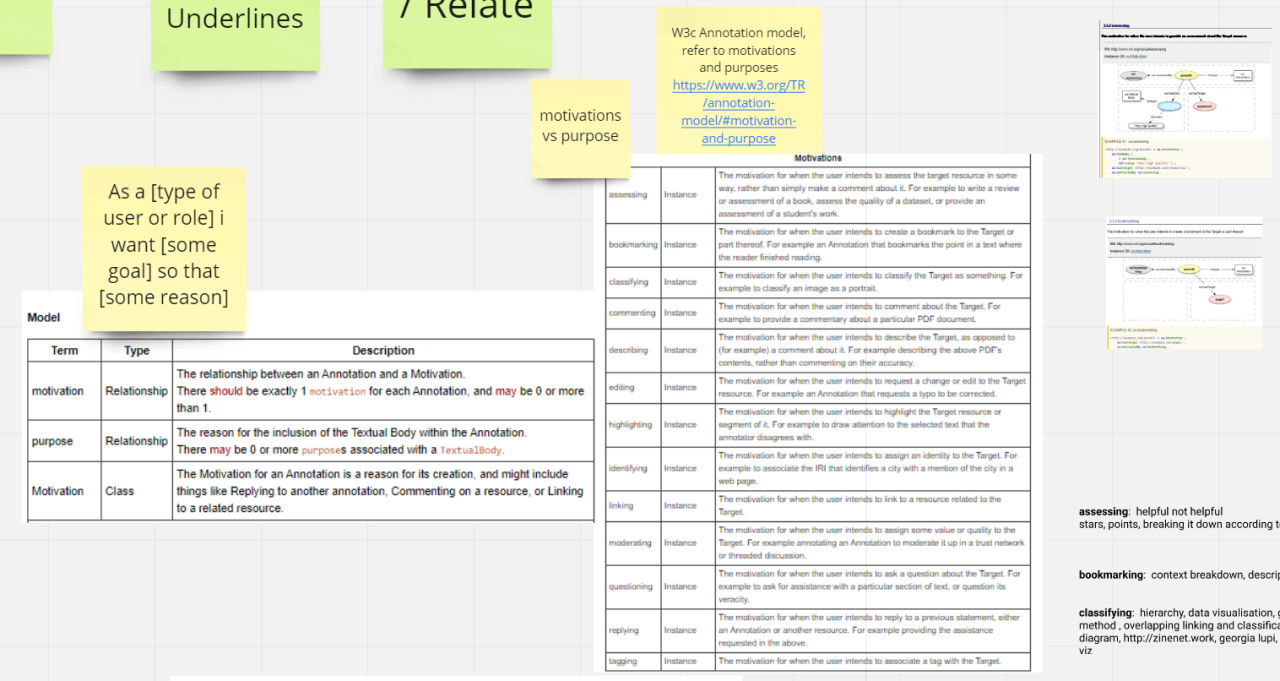
As a [type of user or role], I want [some goal] so that [some reason].
| User Role | Goal | Intent |
|---|---|---|
| Science Student | Better finding aids to browse metadata descriptions of different archives | To enhance the ability to locate relevant information within archives |
| Research Associate | Add tags to specific archive item metadata descriptions | Facilitate easy retrieval and organization of archived items |
| Researcher | Add text comments to specific archive item metadata descriptions | To provide contextual information and facilitate citation in research |
| Science Journalist | Link two archival items with custom relationships | Analyze emerging patterns and trends for storytelling purposes |
| Archivist | Create categories to organize archival research | Improve organization and accessibility of archival materials |
| Owner of Milli Platform | Create new sites/accounts to manage contracts, policies, and interactions | Facilitate management of interactions with institutions and organizations |
| Technical Administrator | Set up background processes or jobs for data exchange, parsing, or adapters | Automate tasks related to data management and processing |
| Site Administrator | Create and manage users | Administer user accounts and permissions within the platform |
| Site Administrator | Approve or reject annotations (tags, comments) to prevent spam | Maintain quality and relevance of annotations within the platform |
Key Insights
During our user research phase, we gleaned several key insights that shaped our design:
Focus on Metadata
Most archives prefer to share only their metadata. Consequently, we aimed to create an interface that enabled users to annotate this metadata.
Flexible Annotation Mechanism
Users might want to annotate different archival items for various purposes. This was also highlighted in the W3C Standards for Web Annotation. The IIIF image framework later became another avenue for exploring how annotation standards could be applied to visual archival materials.
Metadata Standard Agnostic
We observed that different archives employ different metadata standards, such as EAD, FOAF, and Dublincore. As a result, our import mechanism needed to be agnostic to these varying standards.


Considerations for design
| Insight | Implication | Action |
|---|---|---|
| Most archives will only share their metadata, so the annotation target has to be metadata | Focus annotation efforts on metadata to enable interoperability and access across diverse archival sources. | Develop annotation tools and protocols that specifically target metadata fields for annotation purposes. |
| Users might want to annotate different archival items for different purposes (this mechanism was also highlighted in the W3C Standards for Web Annotation) | Allow users flexibility in annotating archival items based on their specific needs and objectives. | Implement a versatile annotation system that supports multiple types and purposes of annotations. |
| Different archives will use different standards for the metadata - eg. EAD, FOAF, Dublincore etc. This meant that importing of metadata for partners would have to be agnostic to these standards | Ensure compatibility and seamless integration of metadata from various archival sources by adopting a standardized, agnostic approach. | Develop tools and algorithms for importing and harmonizing metadata from different standards and formats. |
| Users annotate -> Users Discover Annotations -> Users Annotate more OR -> Users narrate stories using collections of annotations | Enable a feedback loop where users can discover existing annotations, contribute their own, and utilise annotated collections to construct narratives. | Implement user-friendly interfaces and features for discovering, creating, and utilising annotations effectively. |
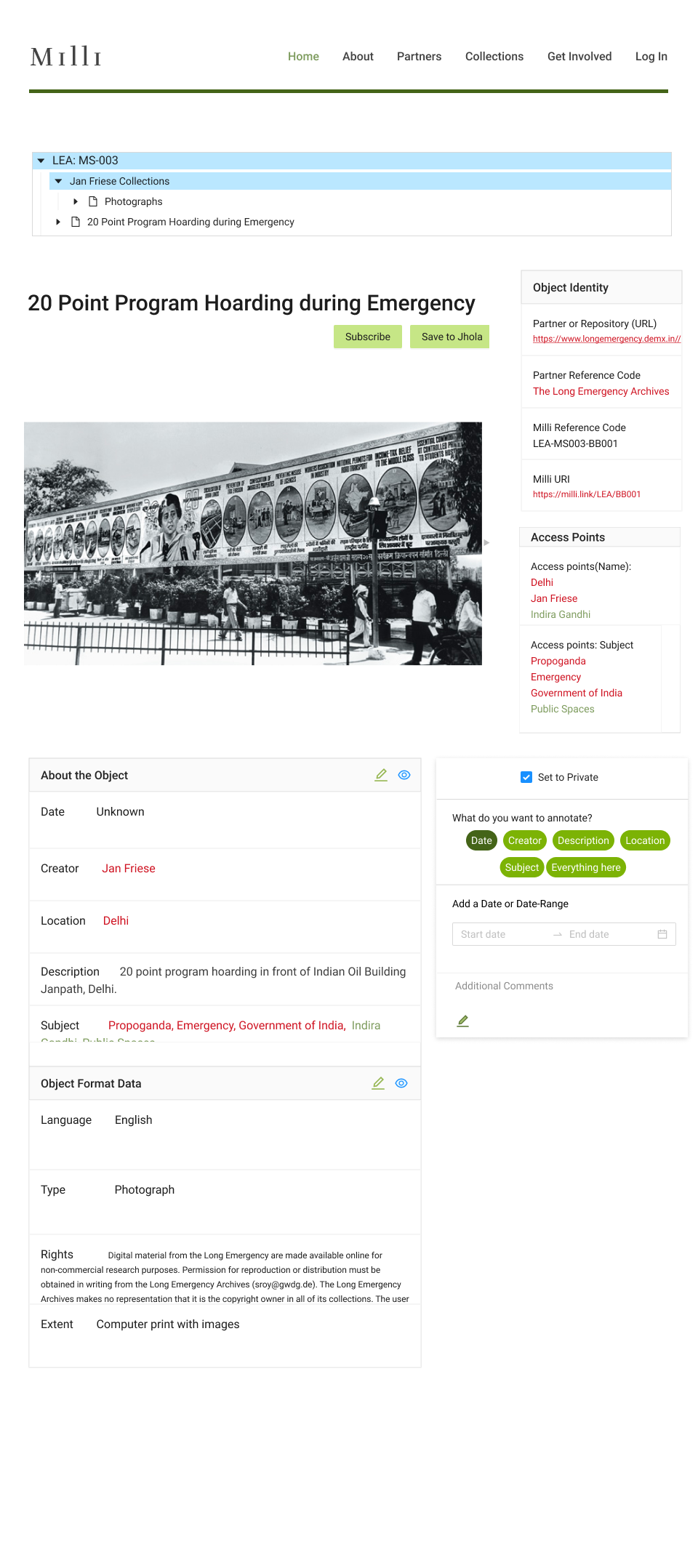
Of these, I worked on making a mechanism for annotating an archival object as well as how the archival object looked. I also helped design the information visible on each search result.
Feature Design Priority Matrix
- Which fields are annotable,
- What fields act as access points to other objects in the archive
- What is the hierarchy of the current object
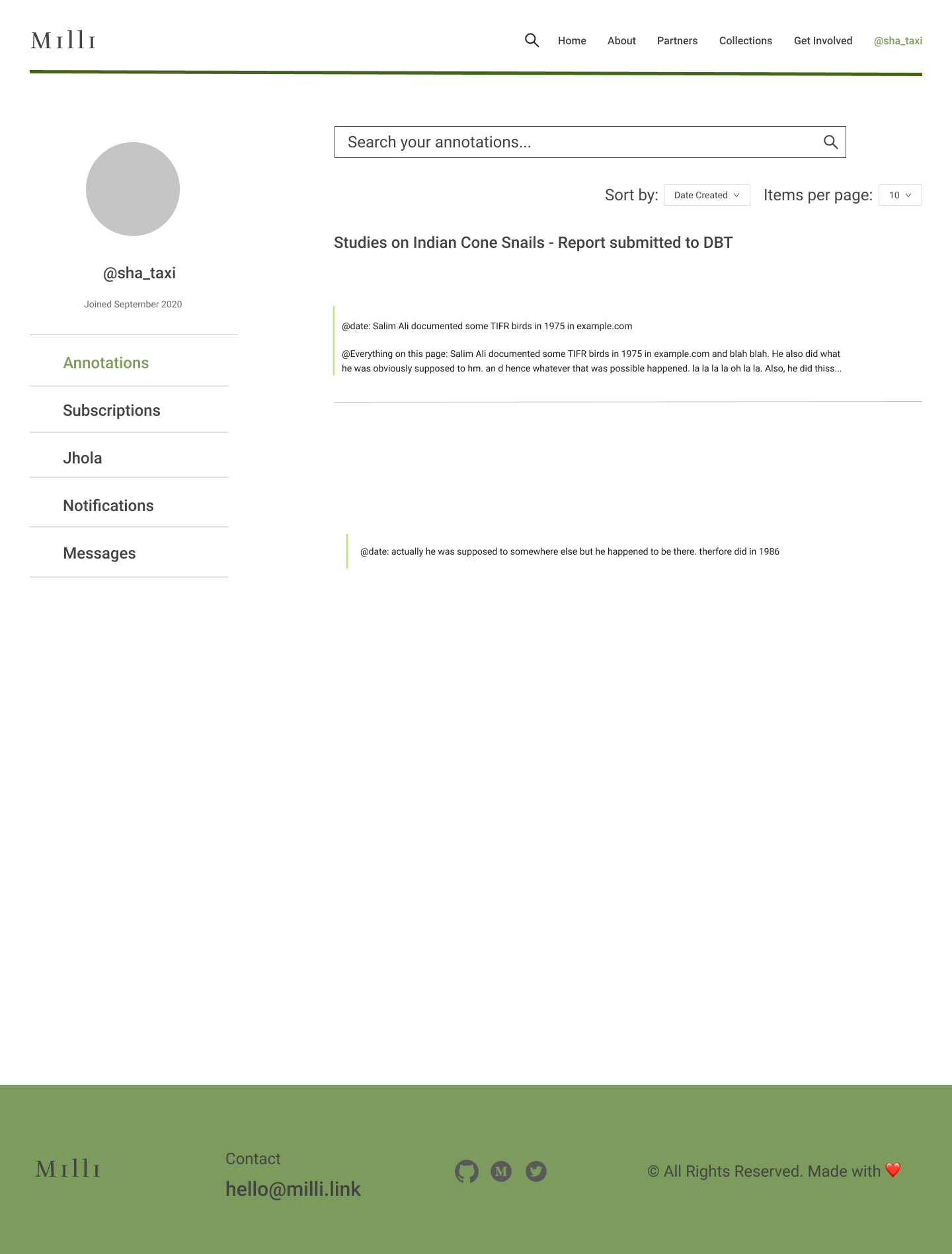
- Create user flows for private curation, notetaking, and collection - including a way to subscribe to new annotations, make a private annotation and save objects to a jhola(“metaphor for a bag”)
User Flows
Annotating the archival item
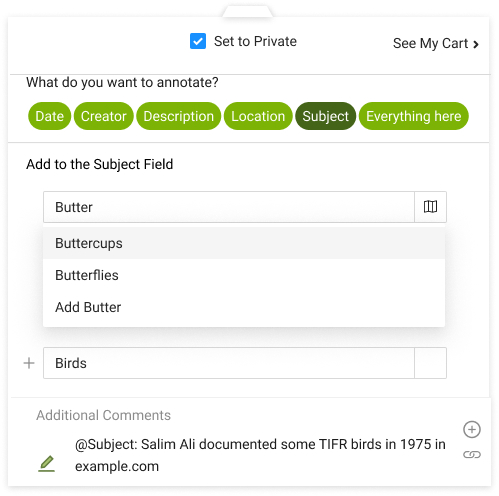
My work also involved designing the Annotation Widget, a vital tool for user interaction, allowing:
- Structuring each annotation as a key-value pair, and
- Annotation of the entire object as well as parts of the object’s description.
Information Architecture for Annotating

Design from Information Architecture
Private Curation
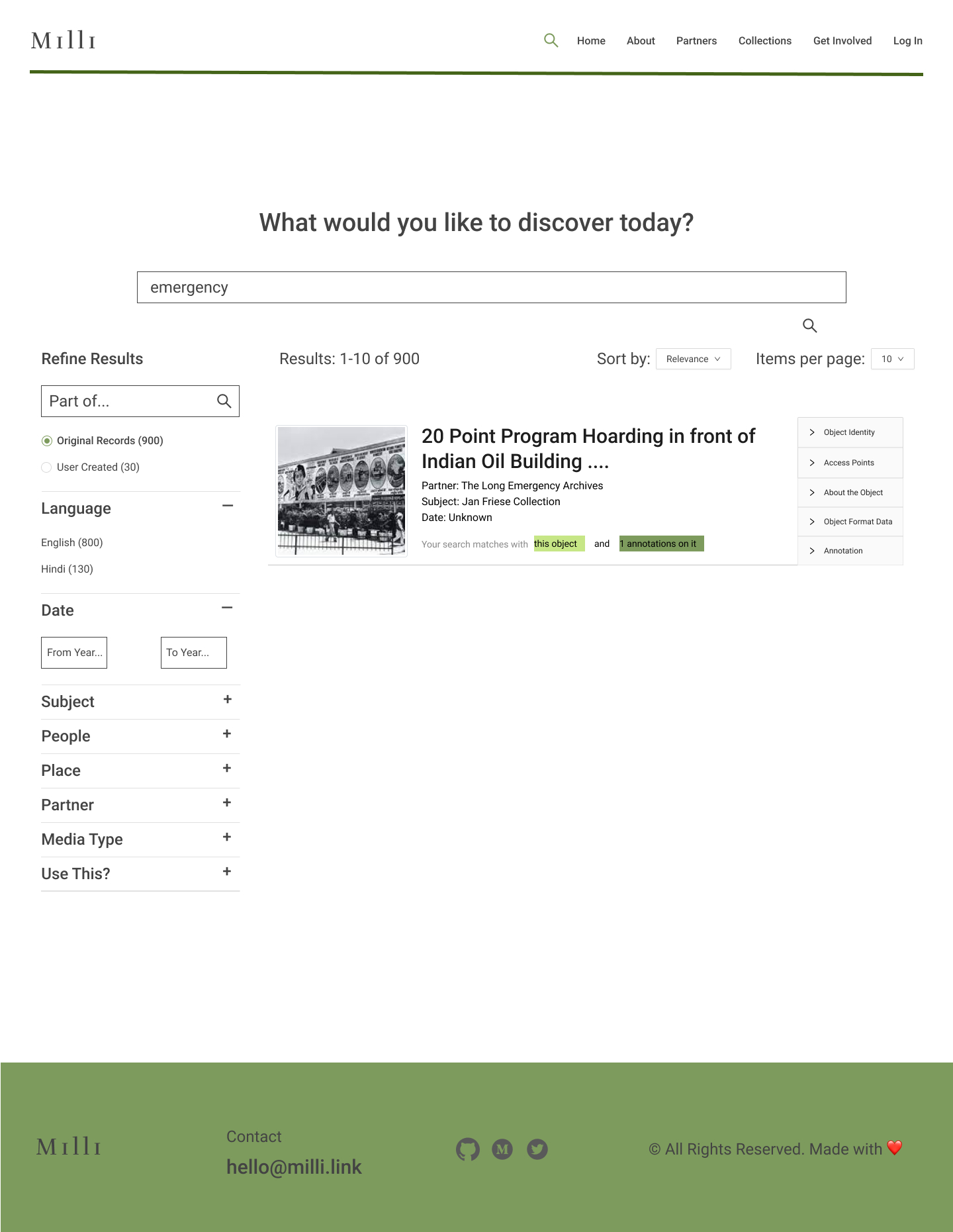
Search Hits
In order to enrich the user experience, I optimised the search hits by:
- Using the metadata categorization from the Archival Object page to add more context in an accordion on the results card, and
- Indicating whether the search had hits on the annotations in the object.